Building a Company Brain People Actually Want to Use
We gave our agents tools… but then we had to make them useful.
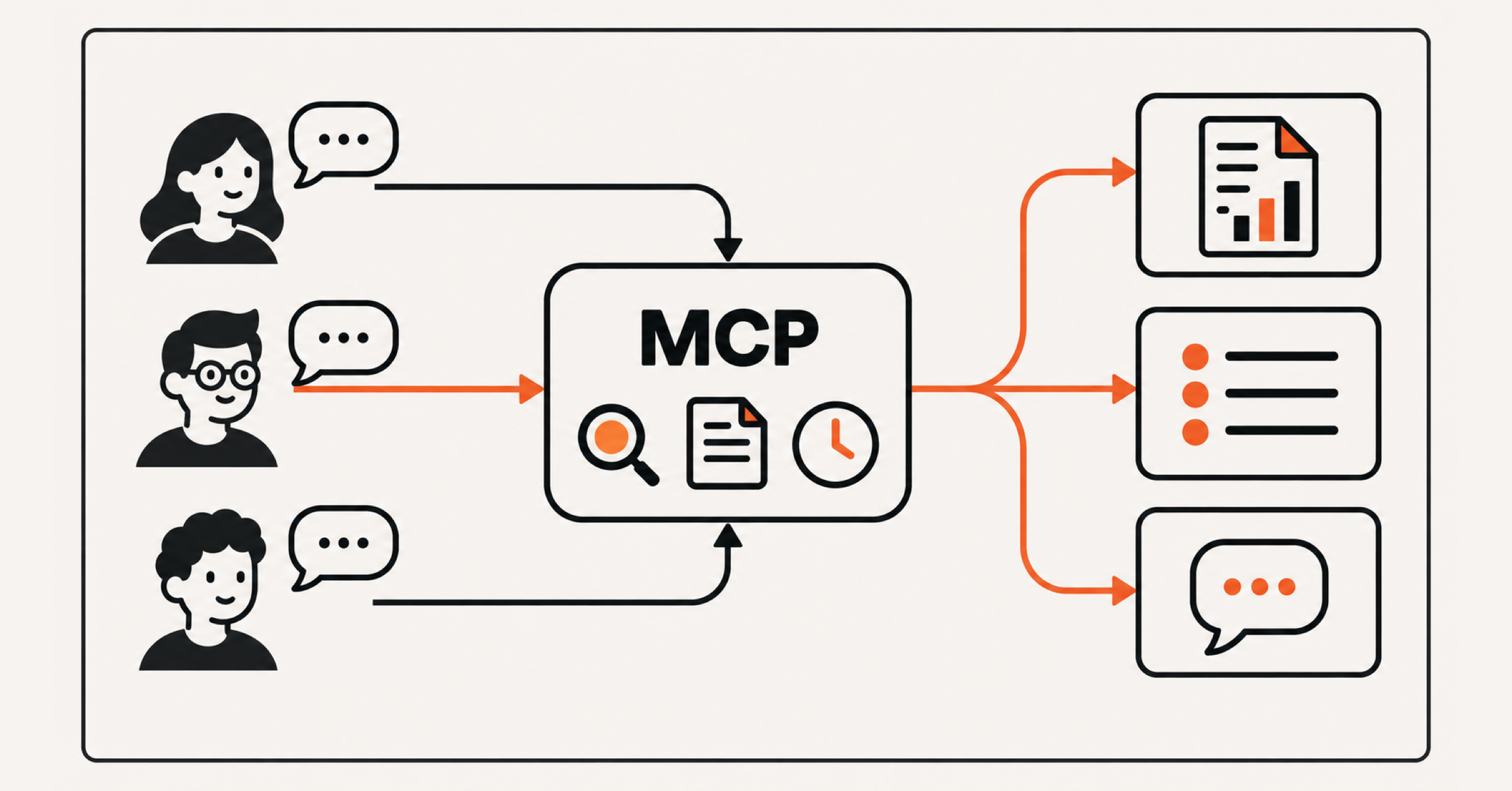
“Who should I call before my next meeting?” is a simple question for an agent. But following through would require it to find information across several systems, wait for work to finish, and make changes that other people can rely on. At Theory, we use an internal MCP to let agents work with the documents, data, and applications that our team uses every day.
Exposing an operation as a tool is fairly straightforward, but making it reliable for daily use means accounting for both how the software runs, and how the agent decides to use it. Our goal is to help our team complete work in a tenth of the time, with a special emphasis on redundant and uninspiring tasks. Unfortunately, the effort to coordinate tools, interpret results, and decide what happens next can consume much of that benefit if the MCP layer is naively designed. Here are the key design decisions we’ve learned that make the platform more consistent and efficient, giving our team a dependable research assistant.
What you’ll find below are specific tips and tricks based on iteration and production experience of a year with our mcp-as-company-brain.
Long Tasks and Timeouts
Agents can now complete some software tasks that take human experts hours, according to METR’s research. As we delegate more substantial work, we need workflows that outlast a comfortable pause in conversation. Users should be able to hand off a task and return to the result without the need to manage the wait themselves.
A research tool might gather information from several sources, process the results, and write to an external system before finally responding to the user. This could take a few seconds or several minutes. If the client times out partway through, the user sees an error even though the server may still be doing the work.
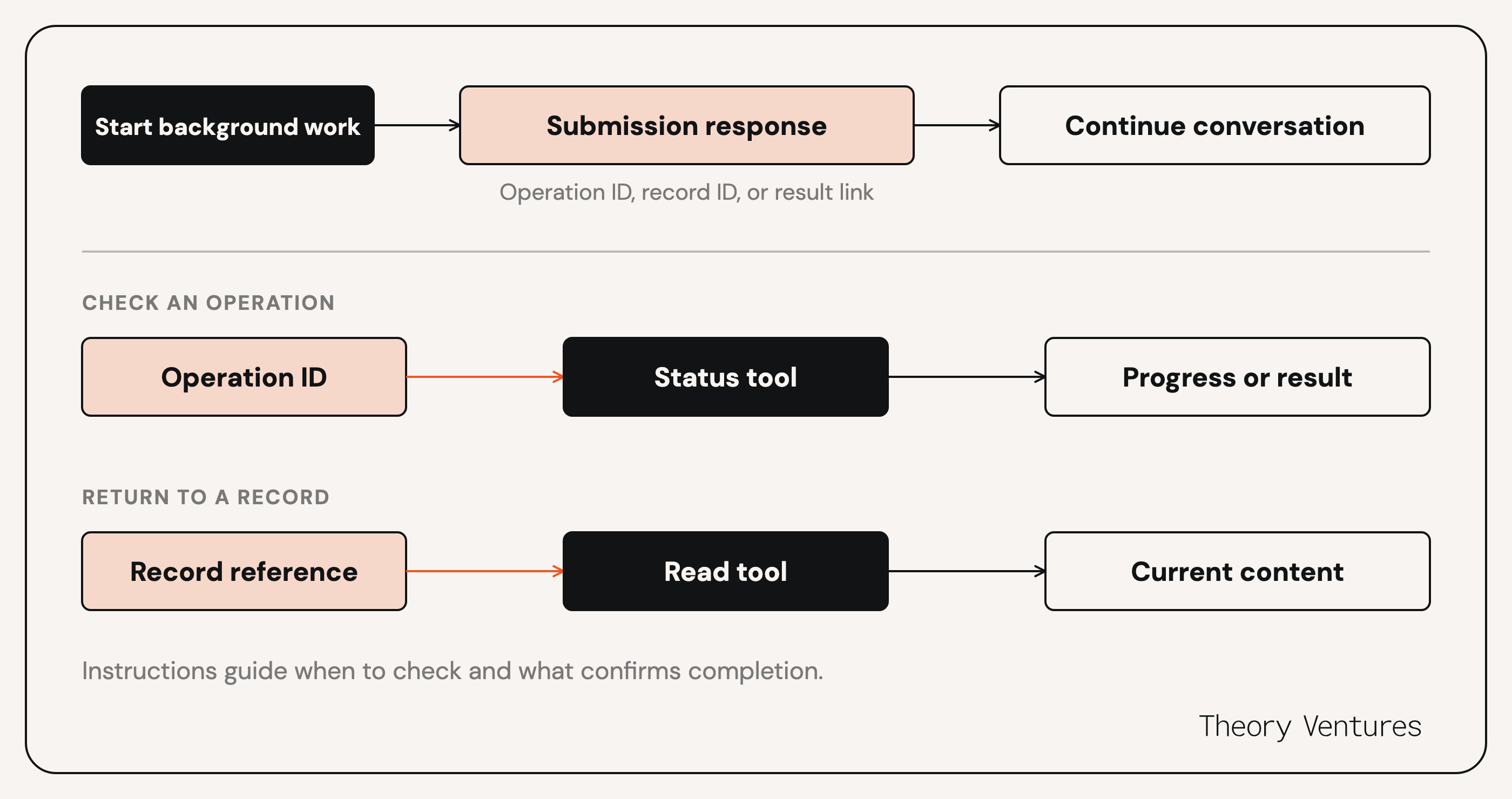
We start slow operations in the background and return a quick response, such as “Process started. This will take a few minutes.”
Tool descriptions and skills guide the agent on when to check progress and how to retrieve results. For research tasks, the tool that fires off the work explicitly directs the agent to a separate polling tool. Other tasks return a record ID so the agent can retrieve the updated data through an existing read tool.
If the result is needed soon, the agent waits briefly and checks. For longer work, it notifies the user and leaves retrieval for later. In either case, the instructions tell it to confirm completion before it reports success.
FastMCP also supports native background tasks, which let compatible clients start work, check progress, and retrieve results through the protocol. Background task support varies across clients, and we want people to use whichever client works best for them. Keeping follow-up available through ordinary tool calls lets us support those differences without requiring everyone to use the same client.
Bulk Operations
Sometimes the work itself is quick, but a preliminary tool’s design makes the agent take a slow route through it. A tool that accepts one item at a time forces separate calls, while an overly broad request can return more information than the task needs.
Where retrieval supports it, we let the agent request several items together. Our server handles the retrieval and returns the results in one response. We explain the bulk option in the tool description so the model knows to use it. This reduces the number of calls the agent has to coordinate, especially for tasks people repeat throughout the day. While agentic-search is often SOTA on many search tasks, batch retrieval is a 100x multiplier on time-to-useful-result for some requests.
Observing Tool Use
An agent can give an outdated answer even when the search tool works exactly as intended. It might have searched the wrong time period or relied on an older result. A successful request alone tells us little about how that happened.
To understand how the agent reached an answer, we connect tool calls from the same conversation using a shared conversation ID that the model passes with each call. We also ask for a short description of its current task, which we record in a task_context field.
In our MotherDuck dashboard, we review those calls in chronological order alongside the task descriptions, arguments, and results. This helps us connect individual requests to what the agent wanted to accomplish. We also trace requests into our backend services, so we can investigate a slow or failed call through the systems.
The same view helps us understand which tools people rely on and how the agent combines them. A popular tool might save substantial work, or require several attempts to produce a useful result. We need to look at those calls in the context of the task before deciding what to improve.
We also use each team member’s verified Google email to connect tool calls in our logs to the person behind them. That identity comes from Google Workspace OAuth, which lets team members connect to our MCP server with their existing work accounts. Our tools can use the same identity, which also allows us to define what each team member can read or change.
Reads and Writes
“Update the document with what you found” sounds like a simple follow-up. But what counts as an update? The user might expect a paragraph added to the end, while the agent decides to rewrite the whole document.
We match the level of confirmation to the task, from fully automated workflows to user approval at each step. For consequential changes, we ask the user to review the intended action so they can catch differences like this.
The agent needs to explain what it intends to change clearly enough for someone to review it. Once other people rely on the document, a misunderstanding creates work for more than just the person in the chat.
We keep distinct write operations in separate tools, which makes the intended action easier to review and failures easier to investigate. Separating reads from writes also gives us clear boundaries for authorization, whether the caller is someone using an LLM client or an autonomous agent in a VM. We can use those boundaries to limit access to the workflows each caller needs, granting write access only when the task requires it and we are comfortable with the scope and consequences of the changes.
The obvious next question is what happens when a change does go wrong, especially across systems, which we explore more here: It’s Not Too Late to Roll Back MCP.
Finding the Right Tools
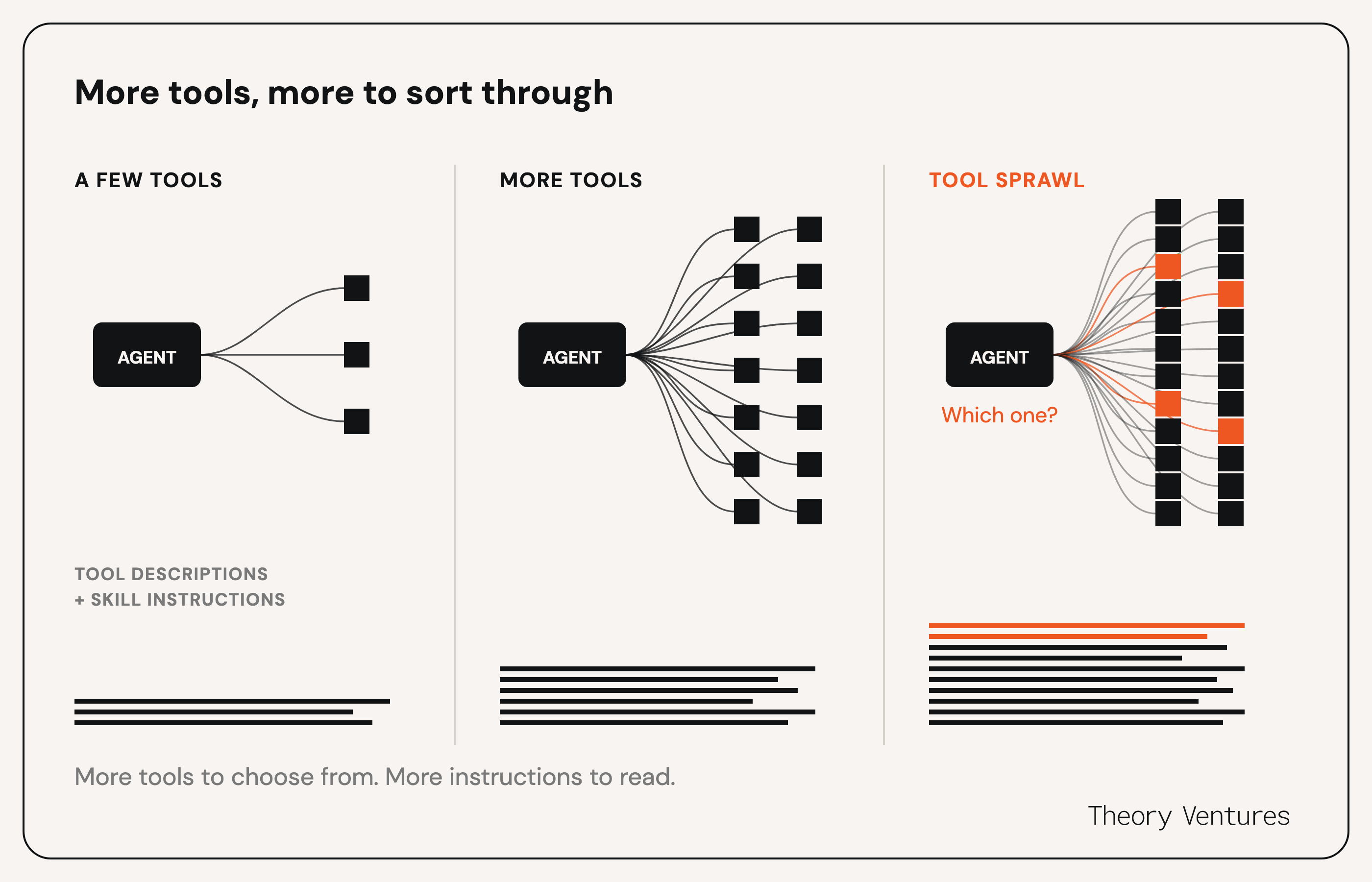
Adding a tool gives the agent more ways to complete a task. It also gives it another choice to make. As the catalog grows, tools with similar names or overlapping purposes can make that choice harder.
We put those distinctions into the descriptions, so the agent has enough information to choose before making a call. We want each tool to have a clear purpose and the catalog to stay manageable.
As we add capabilities, we keep revisiting what deserves its own tool, which operations can be combined, and where instructions overlap. A new tool or skill should make the agent’s next decision easier, so we have to consider how each addition fits into the catalog as a whole.
Context Bloat
Context starts to grow before a tool returns anything. Tool definitions and loaded skills take up space alongside the conversation. They help the agent choose what to do, but overlapping guidance can make that choice harder and slow its response. As we add tools and skills, we weigh the guidance they provide against the context they consume.
Results add even more to this. A simple lookup might return pages of notes, and repeated calls can add the same material more than once. The agent then has to work through all of it to answer a narrow question. A company status report starts with structured data and retrieves full Notion notes if that data is missing. A diligence snapshot requests those notes immediately because the review depends on their detail.
We aim to keep descriptions focused and load longer workflow guidance when it is relevant. We also make extra detail optional where possible. Our skills guide the agent to start with a smaller result and retrieve the full source when it needs more.
Loading only what is relevant keeps context smaller, though each extra lookup can leave the user waiting longer. We need to balance providing enough information for the agent to make a useful next decision without unnecessary calls. A quick overview and a detailed review should not require the same amount of information by default.
How Do We Improve From Here?
We give people a feedback tool through the MCP so they can report a problem in the same conversation while the context is still available. Their feedback, together with our tool logs, helps us understand what they expected, where the agent fell short, and what to change.
MCP and Language-Model-as-User-Experience (LMUX) form the foundation of our internal platform. We built this platform so agents can use our data to take on real work our team needs done. That means giving them tools they can use well, with authorization built into the operations themselves.
We iterate with our investors to understand how they work and turn recurring needs into reusable tools and workflows the agent understands. Each improvement becomes available to the whole team, and gives future agents something to build on.
This platform also sets us up for the next steps: personal assistants, coding agents, and long-horizon agents that proactively take on work.
We will share more on those efforts soon, so stay tuned.